1. Navigate to the SCS Parent Portal site.
2. Sign In using the email address you provided to the school during registration or in the Back-to-School Update.
3. For parents with multiple students, click on the name of the student whose grades you'd like to view.
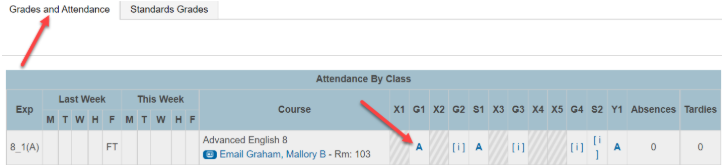
Traditional Grades are on the Grades and Attendance Tab.
1. Click on the Letter Grade to view class assignments and the standards attached to them.
2. Assignment Categories and individual Assignments will be listed, along with Scores and Final Grade Calculations.
3. Click the show standards icon to see the standards and grades for an individual assignment.
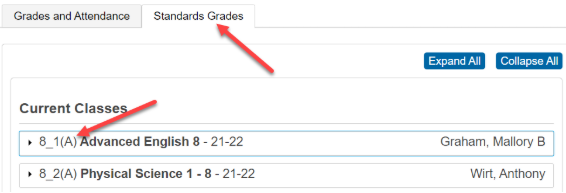
The Standards Grades Tab is where overall standards progress can be viewed.\
1. Click on the Standards Grades Tab.
2. Select a class.
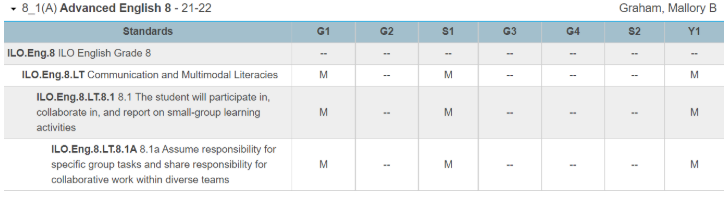
3. Strands and Standards are shown here.
*Standard grades are: